Your help articles, tested in your live product.
Gamut follows every article in your product, shows you the exact step that stopped being true, and drafts a fix it’s already tested.
Illustrative example: Plotwell is a made-up product, shown in Gamut’s dashboard.
How it works
What it does
Reads your help center like a customer would.
Every article, the same ones you send your clients.
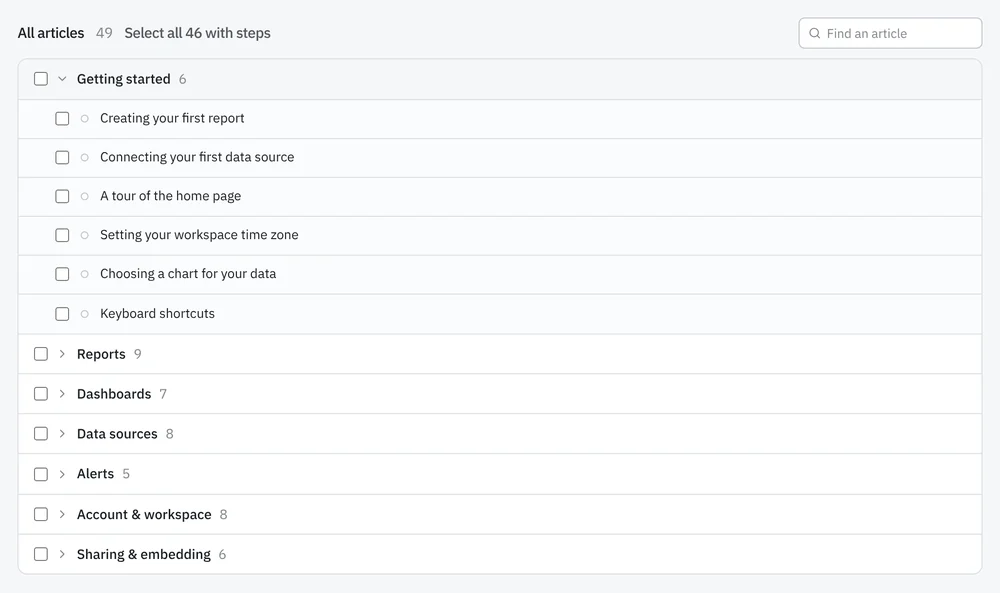
Then runs them.
Give it a test login. Watch it sign into your live product and follow each article, step by step. Nothing to install. No access to your code.
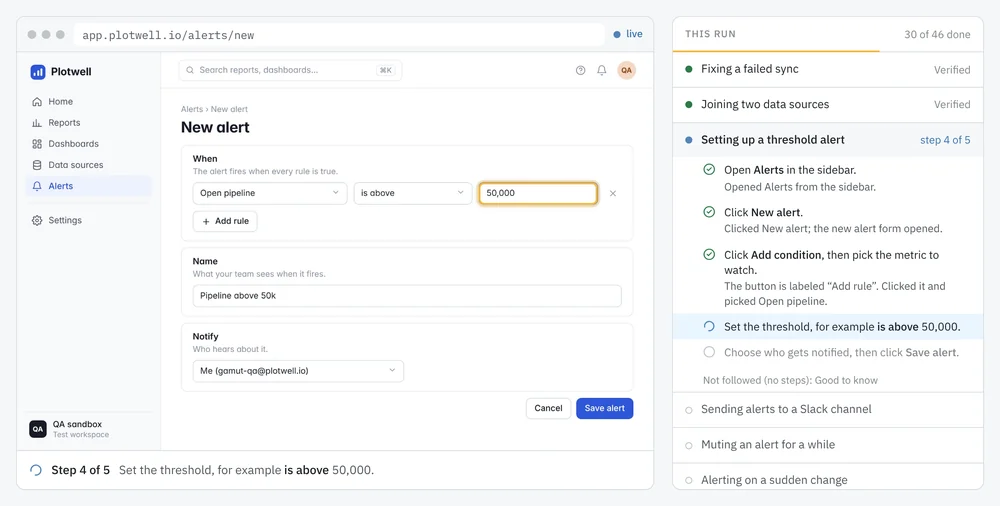
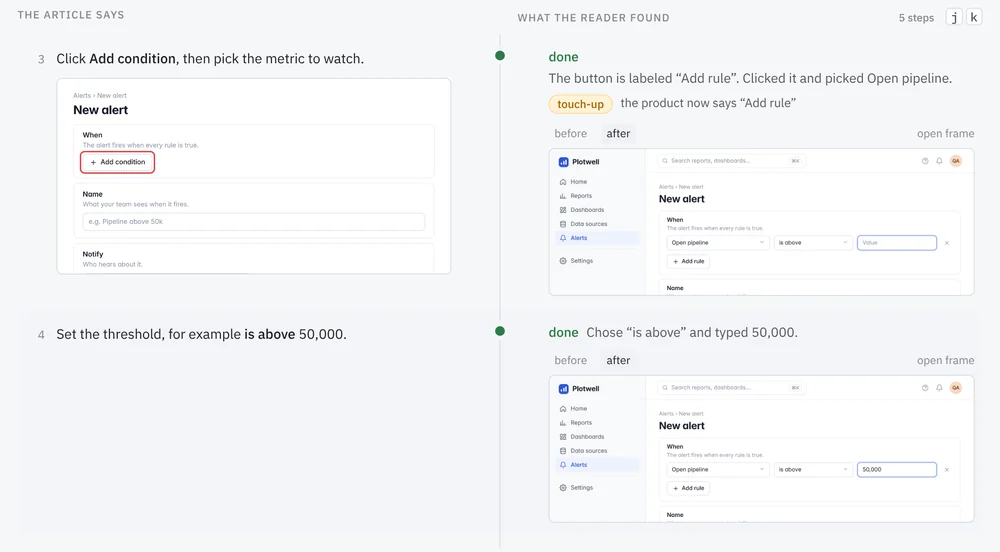
When something’s off, it shows you.
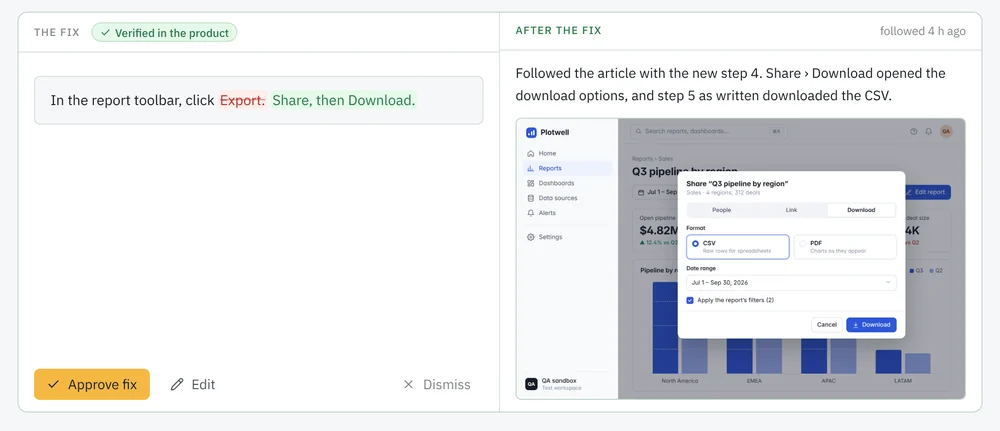
The article on the left. A screenshot of what the product actually does on the right. Breakages, and the small touch-ups that keep articles honest.

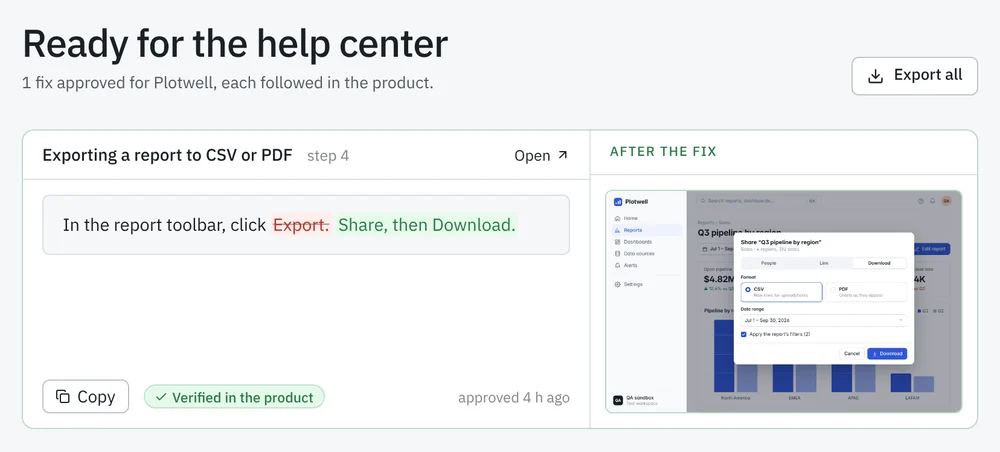
Drafts the fix. Then tests the fix.
It rewrites the article from what’s really on screen, then follows its own rewrite to make sure it holds. Nothing posts until you say so.
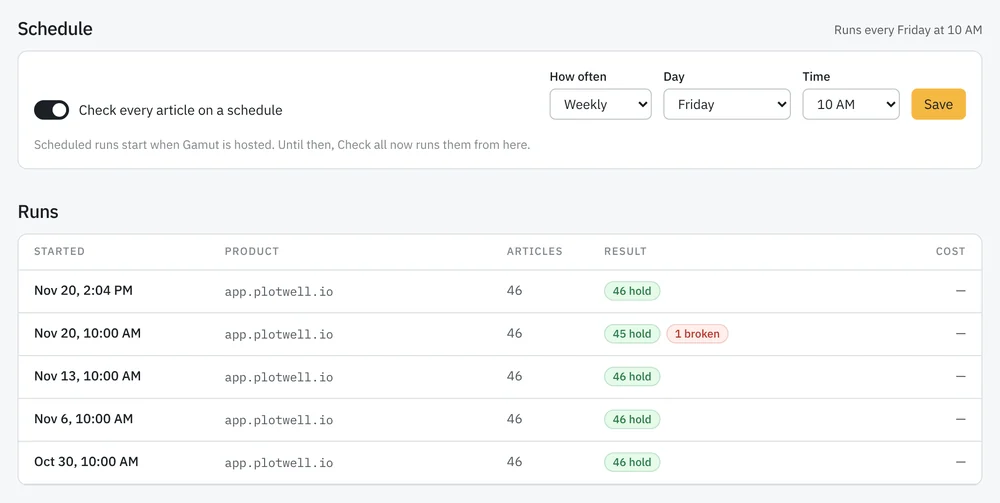
Gamut doesn’t quit.
Your product keeps changing. Gamut keeps rerunning, and tells you what broke this time.
Access and approval
You stay in control.
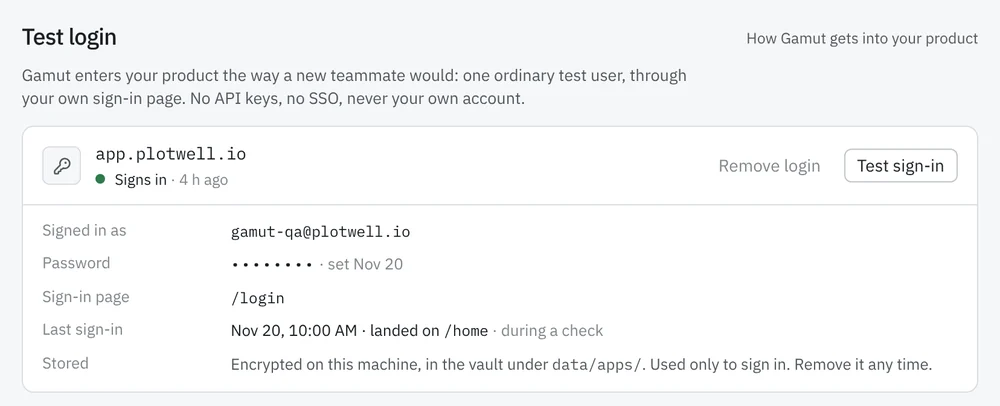
One test user, nothing more. Gamut signs in as an ordinary user you create, through your product’s own sign-in page. No API keys, no SSO, never your own account.
The password stays sealed. It’s stored encrypted and used only to sign in. It’s never logged or shown again, and you can remove it any time.
No shortcuts past your guards. Two-factor prompts and CAPTCHAs are reported, never worked around. Articles about billing, invites or deleting things are left out unless you pick them.
Nothing changes without you. Gamut never edits your help center. Approved fixes wait in a queue for you to paste in or export.
Want this for your help center?
Gamut is in private beta. Leave yours and I’ll write to you myself.